We rebuilt My Intellect App - a modern, intuitive mobile experience that makes learning on the go effortless while staying true to the spirit of Intellect. Our goal was to make the app stable, fast, and enjoyable to use, so students can focus on the lesson, not the interface.
How did we help::
- UX Research
- UI Design
- Front-End Development
- E-commerce
Client
Industry
Intellect is one of Bulgaria's most established language schools, with innovative teaching methods and a rich selection of courses for all ages. The app was created as a digital companion for students - to access lessons, track progress, and continue learning anywhere.
After the redesign and optimization, My Intellect App saw significant growth in key metrics - because when the platform is reliable, users stay and learn.
faster loading
growth in app downloads
growth in average time spent in app
more lesson attendance
The first version of the app had clear potential, but the real experience was hindered by usability and stability issues. Instead of supporting learning, the app often created friction.
Crashes and errors interrupted sessions and created a sense of unreliability.
The visual identity didn't reflect Intellect's modern brand and failed to inspire confidence.
Key features were hidden behind complex menus and unnecessary steps.
Frustration led to short sessions and abandonment of the app.
We focused on a product that is human, modern, and resilient - with clear paths, less cognitive load, and stable performance across all devices.
A new structure and visual system that makes usage feel natural and intuitive.
Refactoring and optimizations for stability and compatibility on iOS and Android.
We shortened the path to key screens and reduced the steps required for core actions.
Iterative testing and launch support to ensure long-term reliability.
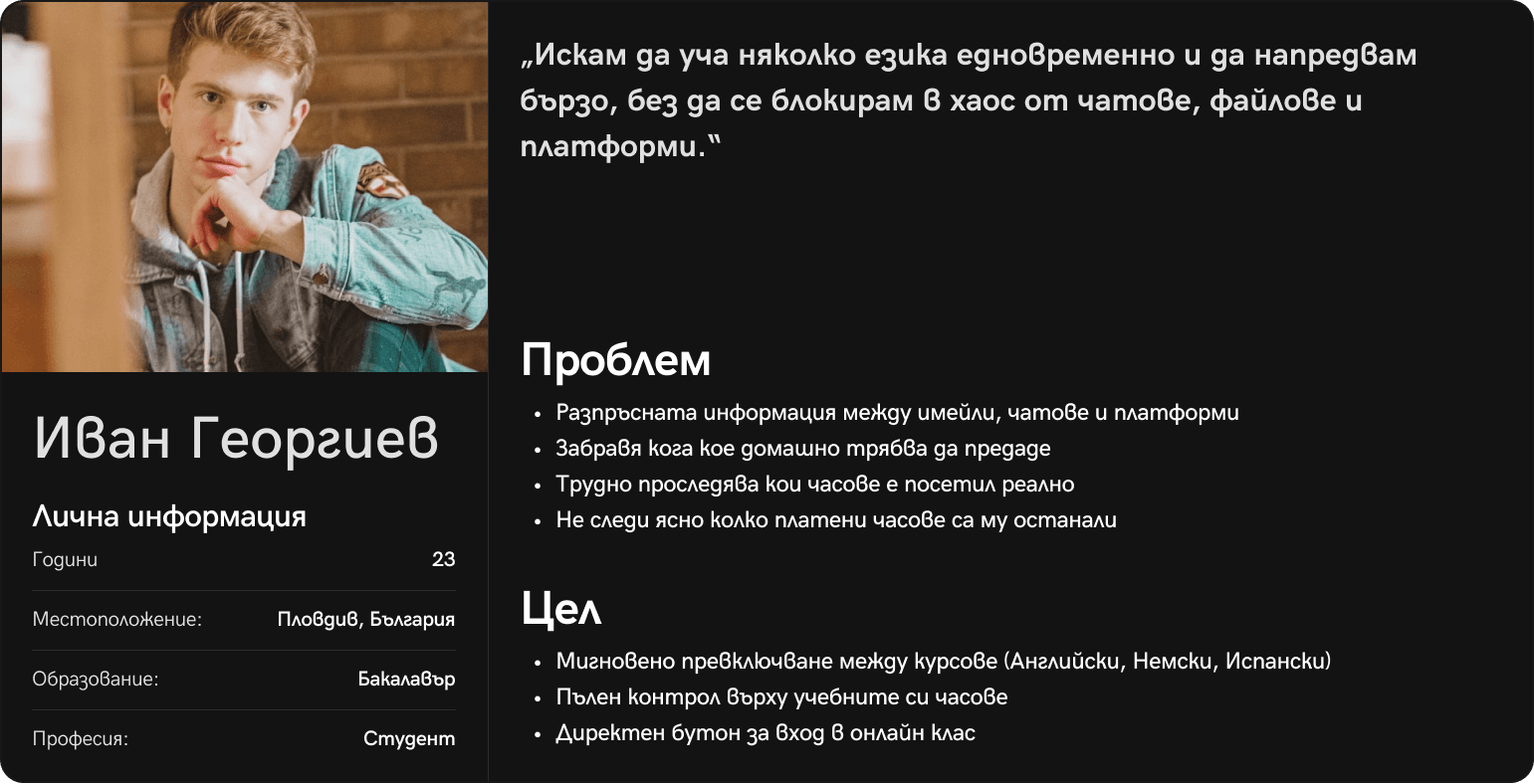
We started with a detailed audit of the existing app and analysis of user feedback. We mapped user journeys, identified critical pain points, and tested prototypes to validate improved flows and visual hierarchy before implementation.
Instability and frequent errors interrupt learning and reduce engagement.
Navigation hides key features and increases the number of steps.
A more modern visual system is needed to convey confidence and clarity.

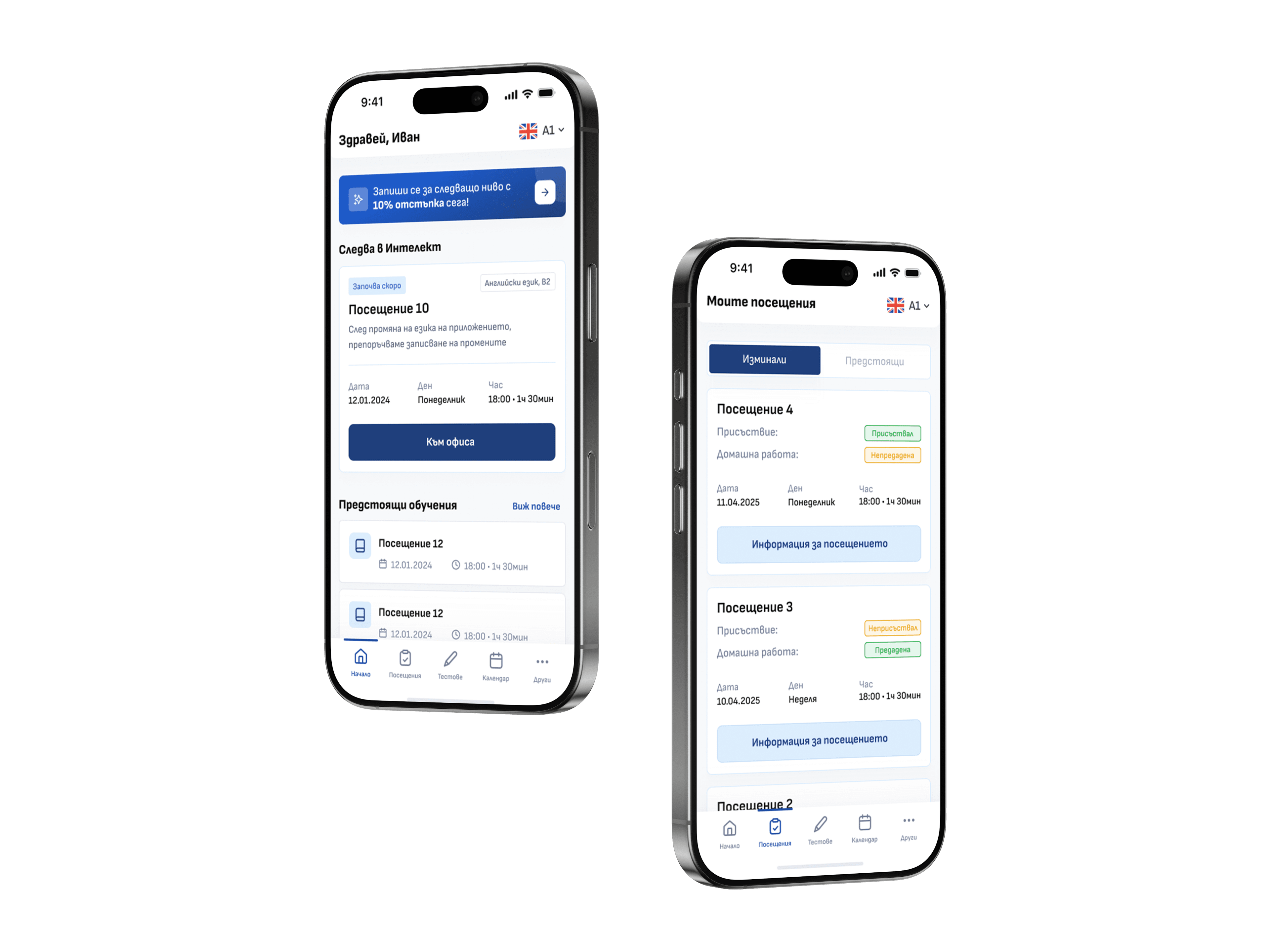
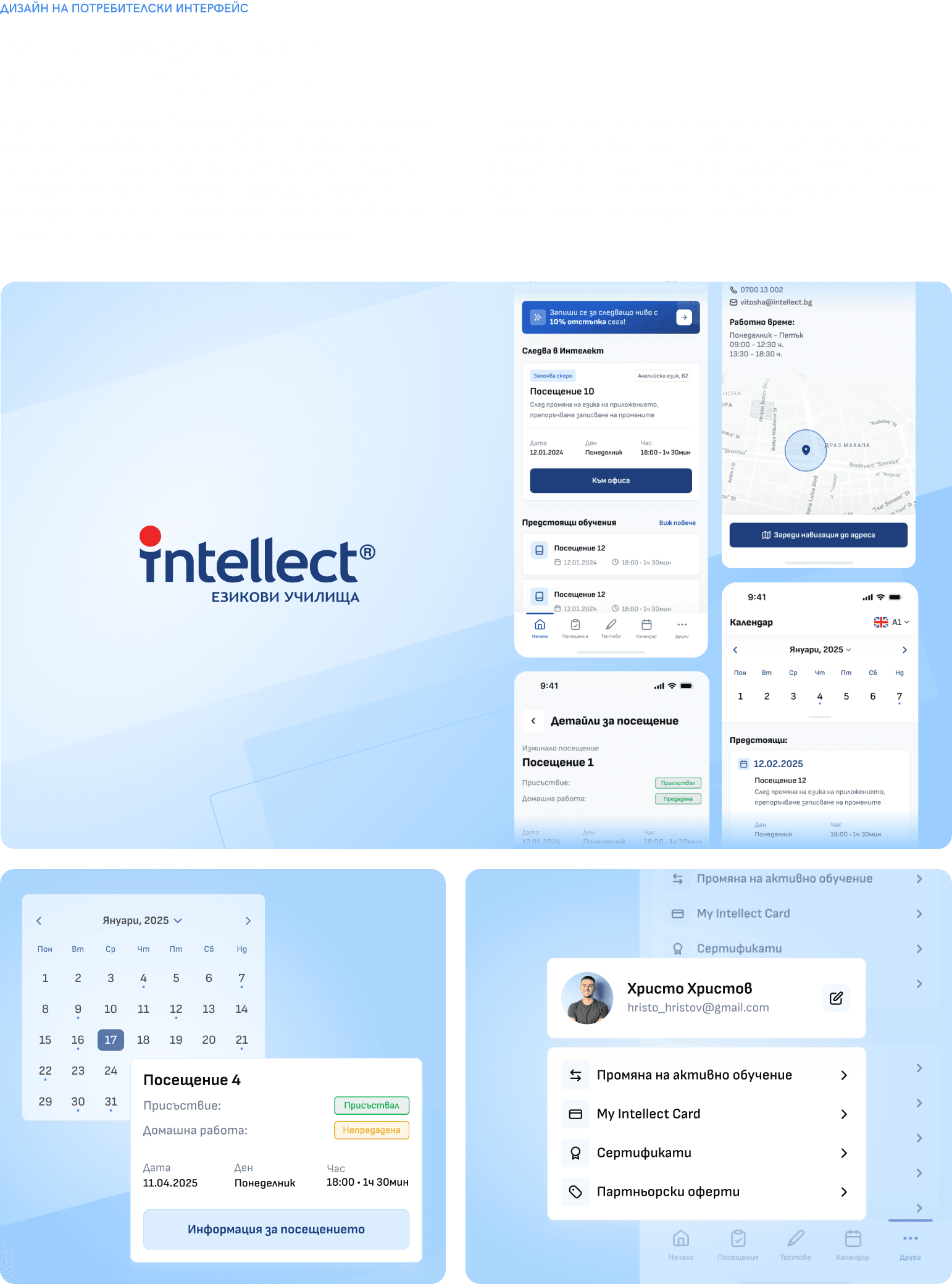
We built My Intellect App as an organized, predictable, and "light" experience where users don't have to think about how to reach what matters - it's simply there. The main focus was clear orientation and a sense of control: what's past, what's ahead, and where I am in my learning.
The result is an interface that supports the rhythm of learning - fast for daily sessions, clear enough for new users, and stable enough to rely on every day.




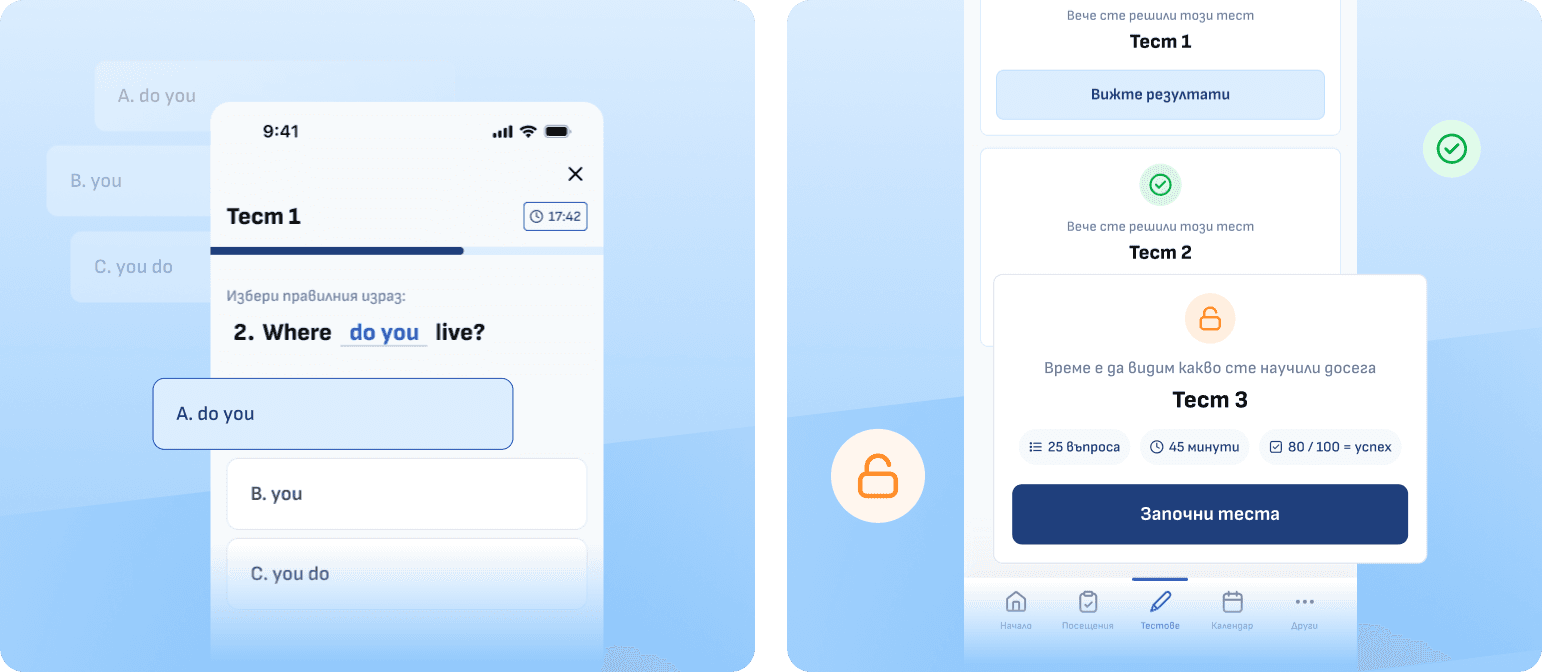
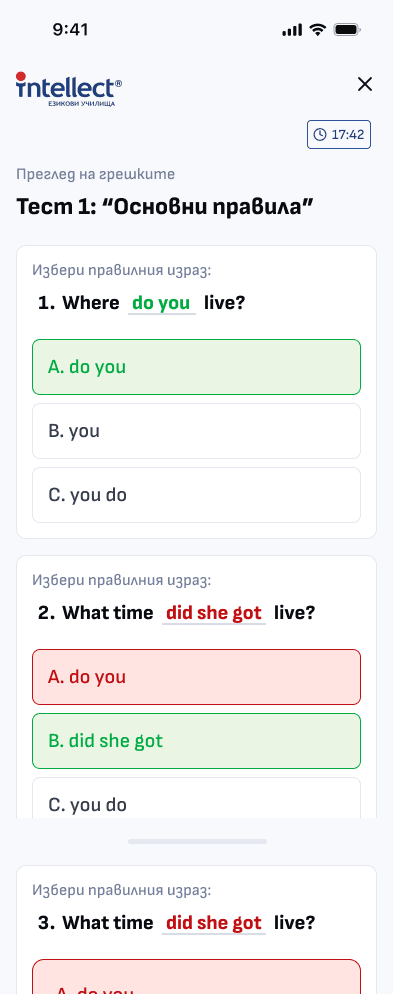
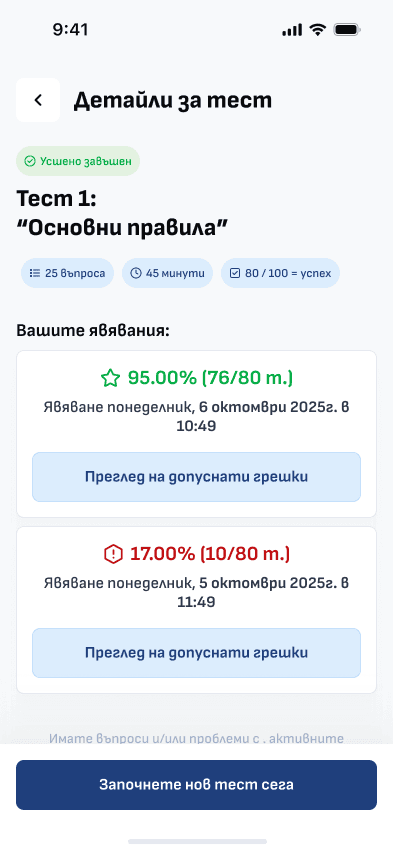
In MyIntellect, users can solve tests directly in the app and receive clear feedback on their performance. The interface is organized so that tests are easy to find and start, and results are visible and trackable over time.
This way, the app not only simplifies knowledge checks but also enables consistent progress tracking through result history and current achievements.

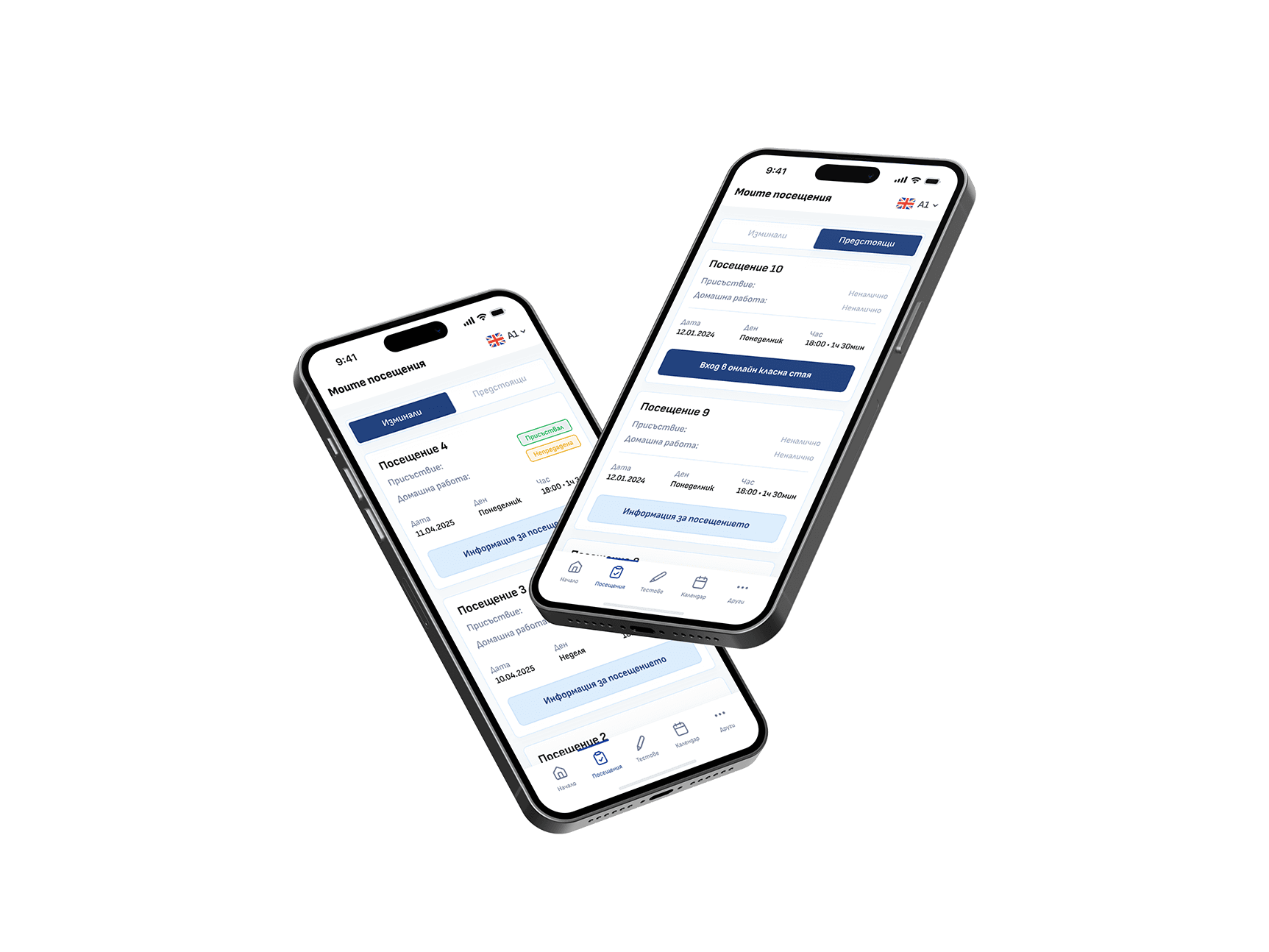
The app gathers all attendance information on one screen - both past and upcoming lessons. Users can quickly see what has already been completed and what's next, with key details like date, time, and status. This way, the app supports planning and consistency in learning.
Work